eBooks have become one of the most accessible ways to share expertise, build authority, and generate income online. Whether you are a first-time author or an experienced content creator expanding into long-form digital publishing, the process follows a predictable path — but the details matter.
This guide walks through every stage of writing an eBook, from choosing a viable topic to formatting, proofreading, and listing it for sale. Each step is broken down so you can move from a blank page to a published digital book with confidence.
What Is an eBook and Why Does It Matter?

An eBook is a book published in a digital format designed to be read on screens — smartphones, tablets, e-readers like Kindle, or desktop devices. Unlike print books, eBooks can be distributed instantly, updated after publication, and sold without inventory or shipping costs.
The appeal is straightforward. Readers get instant access to content on any device. Authors and businesses get a scalable format that works for lead generation, passive income, or establishing thought leadership in a niche. For companies offering professional services, a well-written eBook can serve as a content asset that drives organic traffic and builds trust with potential clients for months or even years after publication.
The global eBook market continues to grow because the barriers to entry are low. You do not need a literary agent, a publishing deal, or a print run. You need a clear topic, solid writing, and a distribution channel — all of which are covered in the steps below.
Step 1 — Choose a Topic That Has Real Demand
Topic selection is the single decision that most determines whether your eBook gets read or ignored. A well-written eBook on a topic nobody is searching for will underperform every time.
Start with audience research, not personal preference. Look at what questions your target readers are already asking. Tools like Google Trends, AnswerThePublic, and keyword research platforms show you what people actively search for in your niche.
Here is a practical framework for narrowing your topic:
Specificity beats breadth. “Social Media Marketing for Local Restaurants” will attract a more engaged audience than “Social Media Marketing” because it speaks directly to a defined reader with a defined problem.
Validate with existing content. Search your topic on Amazon Kindle, look at competing eBooks, and read their reviews. Low-rated competitors with complaints about depth or clarity signal an opportunity for you to do it better.
Align with your expertise. You do not need to be the world’s leading authority, but you should have enough knowledge or research capability to write something genuinely useful — not a surface-level overview that readers could find in a blog post.
If you are struggling with topic selection, structured content ideation techniques can help you move past a blank page and identify angles that resonate with a specific audience.
Step 2 — Build a Detailed Outline Before You Write a Single Chapter
Skipping the outline is the most common mistake new eBook authors make. Without a clear structure, chapters drift, sections overlap, and the finished product reads like a collection of loosely related blog posts rather than a cohesive book.
Your outline serves two purposes: it gives you a writing roadmap so you always know what comes next, and it becomes the foundation of your Table of Contents — the first thing readers scan when deciding whether your eBook is worth their time.
Start by listing the core problems or questions your eBook addresses. Group related items together — these clusters become your chapters. Within each chapter, note the key points, examples, or data you plan to include. This does not need to be formal; bullet points work perfectly at this stage.
A strong eBook outline typically follows this structure:
Introduction — Frame the problem, explain who the book is for, and preview what the reader will gain.
Chapters 1 through N — Each chapter tackles one specific subtopic. Arrange them in a logical progression so each chapter builds on the one before it.
Conclusion — Summarize key takeaways, reinforce the main argument, and include a clear call to action (visit a website, try a method, purchase a service).
Solid prewriting strategies make the difference between an outline that guides you and one you abandon by chapter three.
Step 3 — Write the First Draft, One Chapter at a Time
With your outline in hand, the actual writing becomes much more manageable. The key principle here is simple: write one chapter at a time and finish it before moving to the next.
Jumping between chapters splits your focus and often leads to inconsistencies in tone, depth, and terminology. Treat each chapter like a self-contained piece of writing with its own mini-introduction, body, and conclusion. When all chapters are complete, you will weave them together during the editing phase.
Writing the Introduction
Your introduction has one job: convince the reader to keep reading. It should clearly state what problem the eBook solves, who it is written for, and what the reader will know or be able to do after finishing it. Avoid vague promises. Be specific about the value you are delivering.
The techniques that work for writing a strong blog introduction apply directly here — hook the reader with a relatable problem, then show them why your eBook is the solution.
Writing Body Chapters
Each chapter should open by setting context (why this subtopic matters), then deliver the substance (how-to steps, analysis, examples, data), and close with a transition to the next chapter. Readers should never finish a chapter wondering what comes next.
Practical tips for maintaining momentum during drafting:
Set daily word count targets. Even 500 words per day adds up to a 15,000-word eBook in a month.
Do not edit while you draft. Perfectionism during the first draft is the main reason eBooks never get finished. Get the ideas down first; refine them later.
Use placeholders for research gaps. If you need a statistic or reference but do not have it yet, insert [FIND DATA] and keep writing. You can fill these in during revision.
Keep your writing tight by recognizing and cutting filler content — unnecessary padding that dilutes your message and frustrates readers.
Get professionally written ebooks for your business!
Get Started
Step 4 — Edit, Proofread, and Polish the Manuscript
The first draft is never the final product. Revision is where good writing becomes genuinely useful content.
Plan for at least two rounds of editing:
Structural editing (first pass). Read the full manuscript and evaluate flow. Does each chapter deliver on what the outline promised? Are there sections that repeat the same point? Are transitions between chapters smooth? Move, merge, or cut sections as needed.
Line editing and proofreading (second pass). Focus on sentence-level clarity, grammar, spelling, punctuation, and consistency in terminology. Read sentences aloud — if you stumble, your reader will too.
Understanding the distinction between copyediting and proofreading helps you approach each pass with the right mindset. Copyediting improves clarity and style; proofreading catches surface-level errors.
If budget allows, hire a professional editor or at minimum ask a colleague or beta reader to review the manuscript. Fresh eyes catch issues the author’s brain has learned to skip over.
Step 5 — Format and Design Your eBook
An eBook that reads well but looks unprofessional will lose credibility fast. Formatting and design are not afterthoughts — they directly affect whether someone finishes reading or abandons the eBook after a few pages.
Formatting Essentials
Use consistent heading styles throughout the document. H1 for chapter titles, H2 for major sections, H3 for subsections. This consistency improves readability and is essential if you are exporting to formats like EPUB, which rely on heading hierarchy for navigation.
Keep paragraphs short. Digital screens make long blocks of text harder to read than they would be on a printed page. Aim for three to five sentences per paragraph, and use white space generously.
Include a clickable Table of Contents, especially for longer eBooks. Readers should be able to jump directly to the section that interests them most.
Cover Design
Your cover is the first thing a potential reader sees when browsing a marketplace or landing page. It needs a clear, readable title, a professional design that signals the genre or topic, and a color palette that works at thumbnail size — because most people will first see your cover as a small image in search results.
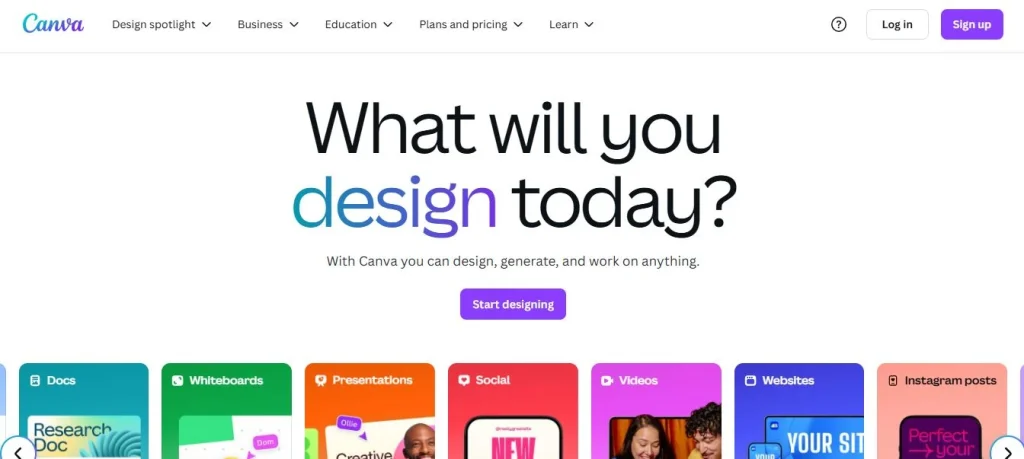
Several platforms offer free eBook templates that handle layout and cover design. Canva, Visme, and Blurb all provide templates specifically designed for eBooks, and they require no graphic design experience to use.
Step 6 — Publish and Sell Your eBook
Once your eBook is written, edited, and designed, the next decision is where and how to publish it.
Publishing on Amazon Kindle Direct Publishing (KDP)
Amazon KDP is the largest self-publishing platform in the world and the default choice for most independent authors. The process is straightforward:
Create a free KDP account at kdp.amazon.com. Upload your manuscript in a supported format (DOCX, EPUB, or KPF). Add your book details including title, description, and author name. Select relevant categories and keywords — these determine where your eBook appears in Amazon’s search results. Set your pricing and royalty preferences (Amazon offers 35% or 70% royalty options depending on price and distribution choices). Hit publish — your eBook typically goes live within 24 to 72 hours.
Keyword selection on KDP deserves real attention. Amazon allows up to seven keywords per listing. Choose terms your target audience actually searches for, not generic labels. “Beginner’s guide to vegetable gardening” will perform better than “gardening book” because it matches how real buyers search.
Selling on Your Own Website or Platform
You do not have to sell exclusively through Amazon. Many authors and businesses sell eBooks directly from their own websites using platforms like Gumroad, Payhip, or Shopify. Direct sales give you higher margins (no marketplace commission), full control over pricing and discounts, and the ability to collect customer email addresses for future marketing.
This approach works especially well if you already have an audience through a blog, email list, or social media following. The eBook becomes part of a larger content strategy rather than a standalone product competing for visibility in a crowded marketplace.
Planning your eBook as part of a broader content plan ensures it connects to your other marketing efforts rather than sitting in isolation.
Common Mistakes That Derail eBook Projects
Writing without an outline. This leads to rambling chapters, repeated points, and a book that does not deliver a coherent argument from start to finish.
Choosing a topic that is too broad. An eBook that tries to cover everything about a subject ends up covering nothing well. Narrow your focus.
Skipping the editing phase. Typos, grammar errors, and inconsistent formatting tell the reader you did not care enough to review your own work.
Neglecting the cover and formatting. Readers do judge books by their covers — especially in digital marketplaces where the cover thumbnail is the primary visual cue.
Publishing without a promotion plan. Simply listing an eBook on Amazon and waiting for sales is not a strategy. Plan your launch, leverage your existing channels, and consider running promotions during the first week to build early reviews and momentum.
Tools and Resources for eBook Writers
Writing tools: Google Docs (free, collaborative), Scrivener (built for long-form writing with outline and research panels), Reedsy Book Editor (free, exports directly to EPUB and PDF).
Design and templates: Canva, Visme, Blurb, and Xara all offer free or freemium eBook templates with drag-and-drop editors.
Editing: Grammarly and ProWritingAid catch grammar and style issues. For professional editing, platforms like Reedsy connect you with freelance editors who specialize in your genre or topic.
Publishing: Amazon KDP (largest marketplace), Draft2Digital (distributes to multiple retailers), Gumroad and Payhip (direct sales from your website).
If you are writing your eBook to support a business or blog, learning how to write SEO-friendly content can help you structure the eBook’s landing page and promotional materials for better search visibility.
Frequently Asked Questions (FAQs)
| Which is the best eBook writing software available in the market? If you are looking to know how to write an eBook smartly, you can find different types of pre-made writing softwares available in the market. This includes Vellum, Reedsy Book Editor, Creatavisit and others. |
| What are the five steps to write an eBook? The process of writing an eBook involves five major steps. Starting from ideation, it moves towards the topic research and writing stage. Afterwards, the proofreading part comes into play and then the final publishing takes place. |
| How to write an eBook and make money? Everyone wants to learn the art of writing an eBook to make money. Well, it is very simple. Try to pick those topics that are trending and most searched by the people. This will give your books a better chance to get sold in the market. |
| Where can I find free eBook templates? There are many sites available on the web where you can find free eBook templates. Some of the top among them include Canva, Visme, Lucidpress and more others. |
| How can I sell my eBook on Amazon? Nowadays, it has become quite simple to publish or sell your eBooks on Amazon. First, you need to create an Amazon KDP account and then fill out all the book details. Afterwards, just pick your category and selling price. Your eBook is ready to get attention from the true readers. |
Final Thoughts
Writing an eBook is a structured process, not a creative mystery. Choose a topic with real demand, build a detailed outline, write one chapter at a time, edit thoroughly, design professionally, and publish on a platform that matches your goals.
The authors who succeed with eBooks are not necessarily the most talented writers — they are the ones who treat the project like a process, work through it systematically, and do not let perfectionism prevent them from shipping a finished product. Start with the outline. The rest follows from there.

Unleash your brand story`s potential with eContentSol – your creative writing companion. We craft narratives that captivate. Ready to elevate your content game? Dive into creativity with us and let`s bring your ideas to life.